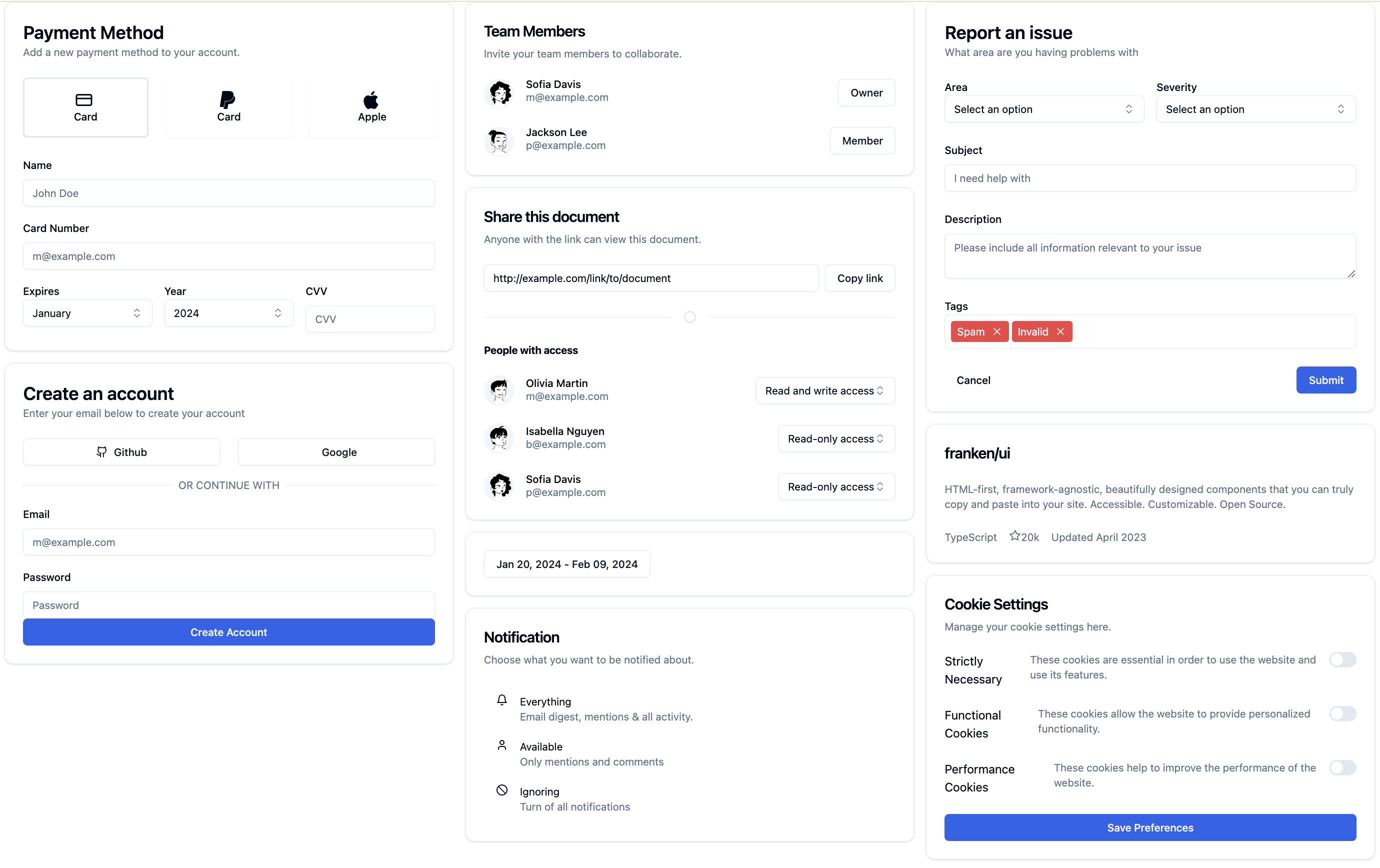
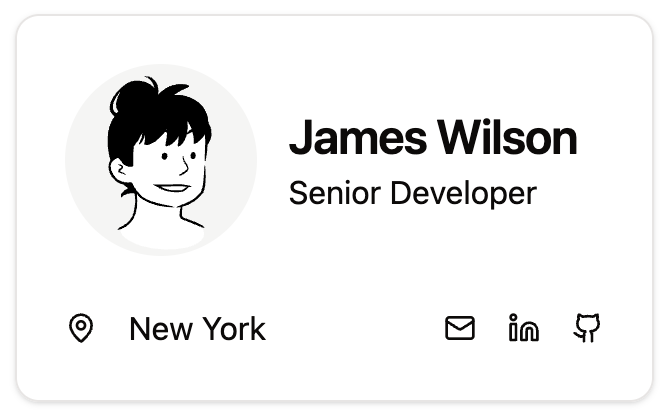
> **Expand to see boilerplate you’d need if you weren’t using
> `MonsterUI`**
>
> ``` python
> dicebear_url = 'https://api.dicebear.com/8.x/lorelei/svg?seed=James Wilson'
> Div(Div(Div(
> Span(Img(alt='Avatar', loading='lazy', src=dicebear_url,
> cls='aspect-square h-24 w-24'),cls='relative flex h-24 w-24 shrink-0 overflow-hidden rounded-full bg-accent'),
> Div(H3('James Wilson', cls='uk-h3'),
> P('Senior Developer')),
> cls='uk-flex uk-flex-left uk-flex-middle space-x-4'),
> cls='uk-card-body space-y-6'),
> Div(Div(Div(
> Uk_icon(icon='map-pin', height='16'),
> P('New York'),
> cls='uk-flex uk-flex-row uk-flex-middle space-x-4'),
> Div(A(Uk_icon(icon='mail', height='16'),href='#',cls='uk-icon-link'),
> A(Uk_icon(icon='linkedin', height='16'),href='#',cls='uk-icon-link'),
> A(Uk_icon(icon='github', height='16'),href='#',cls='uk-icon-link'),
> cls='uk-flex uk-flex-row uk-flex-middle space-x-4'),
> cls='uk-flex uk-flex-between uk-flex-middle uk-width-1-1'),
> cls='uk-card-footer'),
> cls='uk-card')
> ```
## What MonsterUI does for you
`MonsterUI` is based on a simple principle: provide smart defaults while
allowing full flexibility.
We’ve done this by builing upon proven approaches from some of the most
innovative projects in modern web development, carefully selecting
components that address the pain points of raw HTML/CSS while
maintaining mature, battle-tested strategies.
MonsterUI’s core is
FrankenUI, an
innovative framework-free UI library by
sveltecult that
uses beautiful HTML-first components. FrankenUI itself was inspired by
shadcn/ui by
shadcn which
pioneered the concept of copy-pasteable UI components for React.
Raw HTML and CSS present two key challenges: dated visual aesthetics and
complex layout management. By combining FrankenUI’s framework-agnostic
approach with FastHTML, MonsterUI delivers modern, beautiful components
that integrate seamlessly with HTMX’s progressive enhancement paradigm -
all while maintaining clean, readable code.
This isn’t just theory - we’re using `MonsterUI` in production for new
applications we’re testing with preview customers, where it powers
everything from complex dialog interfaces to dynamic content rendering.
The library has been proven robust and maintainable in real-world
enterprise settings.
Let’s explore some key features:
### Theme
Pick a color theme for your app. There are
12 colors to choose from, each with a dark and a
light mode. By default it uses the user’s system preferences.
All themes are synced so components look good on the same page
regardless of whether the component is styled with FrankenUI, DaisyUI,
or another framework.
Themes add the boilerplate needed to make color styling consistent
throughout your app.
``` python
app, rt = fast_app(hdrs=Theme.blue.headers())
```
### Base Components
Every HTML element in `MonsterUI` comes with sensible default styling. A
Button isn’t just an HTML button. It’s a styled
component with hover states, focus rings, and consistent padding.
``` python
Button("Save Changes")
```
`MonsterUI` provides data structures (`ListT`, `TextT`, `ButtonT`, etc.)
for easy discoverability and tab completion for selecting styles.
For example, to style it with your Theme’s primary color, use
`ButtonT.primary`. Primary colors are used for action buttons like “Add
to Cart” or “Submit.”
``` python
Button("Add to Cart", cls=ButtonT.primary)
```
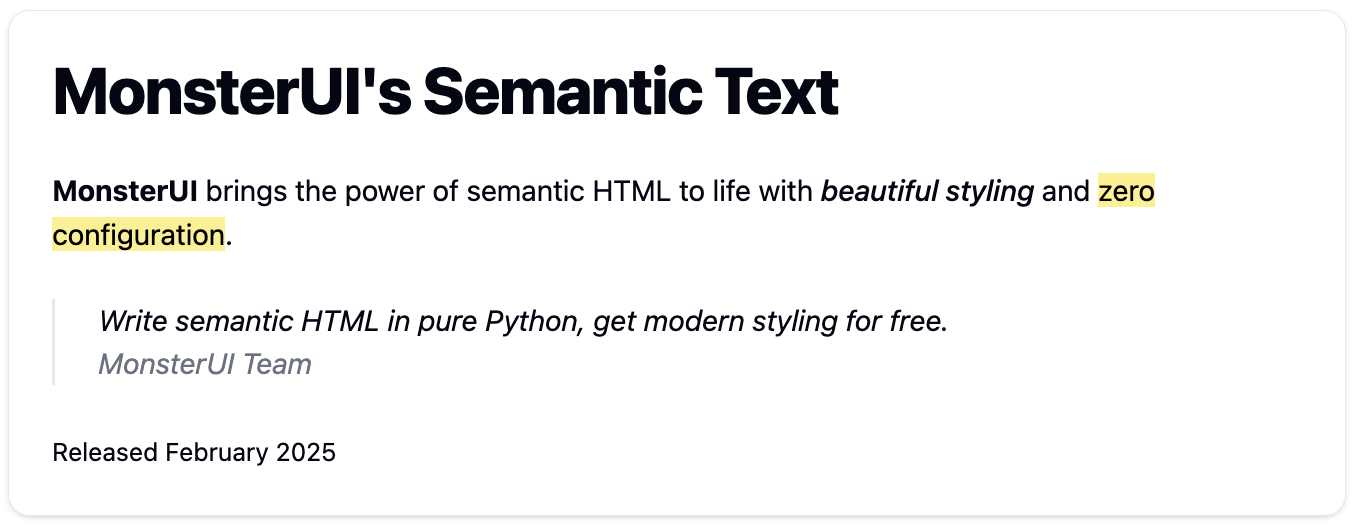
### Semantic Text Styles
Build on the foundations of the web, MonsterUI styles semantic tags
based on the HTML spec. This means that we have styled functions that
match the themes that use standard HTML tags like emphasis (``),
citation (``), Marked (``), small (``) and much more.
``` python
Card(
H1("MonsterUI's Semantic Text"),
P(
Strong("MonsterUI"), " brings the power of semantic HTML to life with ",
Em("beautiful styling"), " and ", Mark("zero configuration"), "."),
Blockquote(
P("Write semantic HTML in pure Python, get modern styling for free."),
Cite("MonsterUI Team")),
footer=Small("Released February 2025"),
)
```
### Smart Layout Helpers
Overall page layout is made simple with the smart layout helpers
(`DivVStacked`, `DivCentered`, `DivFullySpaced`, `Grid`, etc.). For
example, `DivVStacked` stacks things vertically. `Grid` creates a grid
in which to place components.
``` python
DivFullySpaced(
H1("Dashboard"),
DivRAligned(
Button("Export", cls=ButtonT.secondary),
Button("New Entry", cls=ButtonT.primary)))
# Grid layout with smart responsive columns for mobile vs desktop
# Easy args to customize responsiveness as you need
Grid(map(TeamCard, products), cols_max=3)
```
> Note: See our [layout
> tutorial](https://MonsterUI.answer.ai/tutorial_layout) for more
> details and advanced usage
### Common UI Patterns
`MonsterUI` includes shortcuts for common UI patterns. For example, you
almost always want an input text box to have a label to communicate what
it’s for so we have provided `LabelInput` as a shortcut that creates a
`Label` and `Input` pair..
``` python
LabelInput("Name", id='myid')
```
You can use `Div`, `FormLabel`, and `Input` to do this yourself, but
this pattern is so common we’ve provided a shortcut. Here’s what the
shortcut replaces:
``` python
Div(FormLabel('Name', fr='myid'),
Input(id='myid', name='myid'),
cls='space-y-2')
```
### Higher Level Components
We also provide helpers to generate more complex components such as
navbars,
modals,
cards, and
tables. Each of these is built on top of several
base components (`ModalContainer`, `ModalDialog`, etc.) so you could
build them up yourself. However, the helper function usually gives all
the flexibility you need without needing to write your own boilerplate.
These helper functions create good UX behavior for you such as
automatically collapsing your NavBar into a hamburger menu on mobile.
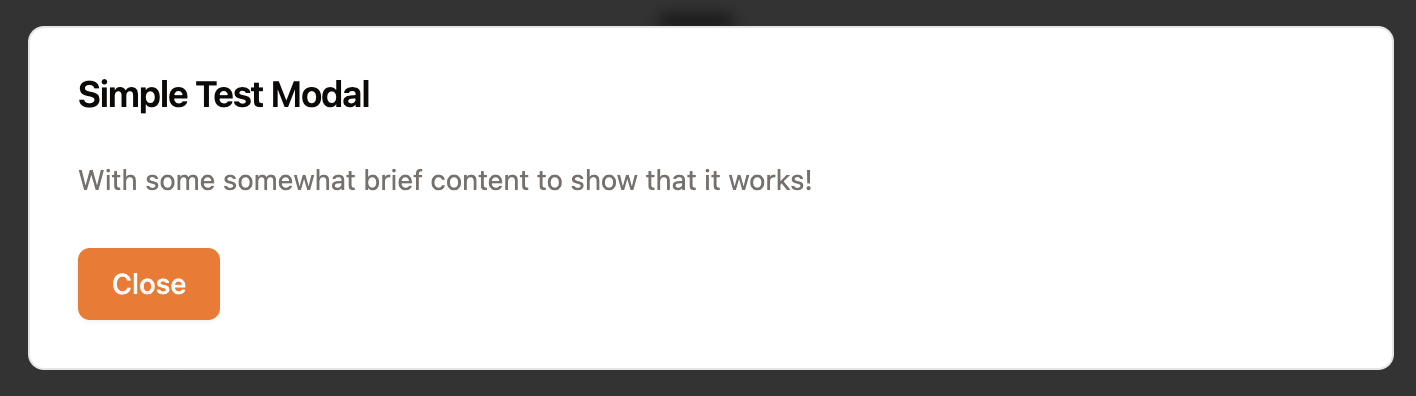
For example to create a button that opens a modal:
``` python
Div(Button("Open Modal",uk_toggle="target: #my-modal" ),
Modal(ModalTitle("Simple Test Modal"),
P("With some somewhat brief content to show that it works!",
cls=TextPresets.muted_sm),
footer=ModalCloseButton("Close", cls=ButtonT.primary),id='my-modal'))
```
> **Expand to see boilerplate you’d need if you weren’t using
> `MonsterUI`**
>
> ``` python
> Div(Button('Open Modal', type='button', uk_toggle='target: #my-modal',
> cls='uk-button uk-button-default'),
> Div(Div(Div(H2('Simple Test Modal', cls='uk-modal-title'),
> P('With some somewhat brief content to show that it works!',
> cls='uk-text-muted uk-text-small'),
> cls='uk-modal-body space-y-6'),
> Div(Button('Close', type='button',
> cls='uk-button uk-modal-close uk-button-primary'),
> cls='uk-modal-footer'),
> cls='uk-modal-dialog'),
> uk_modal=True,
> id='my-modal',
> cls='uk-modal uk-modal-container'))
> ```
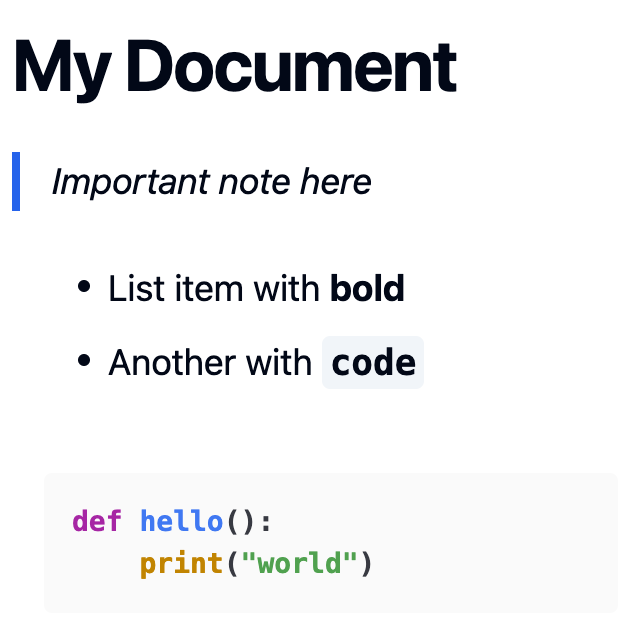
### Rendering Markdown
`MonsterUI` provides a `render_md` function that converts Markdown to
styled HTML, with syntax highlighting via HighlightJS for code blocks,
FrankenUI classes for styling, and Tailwind for additional styling and
spacing. Here’s how to use it:
```` python
render_md("""
# My Document
> Important note here
+ List item with **bold**
+ Another with `code`
```python
def hello():
print("world")
```
""")
````
## Getting Started
First, install it using pip:
``` python
pip install MonsterUI
```
Create a new FastHTML application with `MonsterUI` styling:
``` python
from fasthtml.common import *
from monsterui.all import *
# Choose a theme color (blue, green, red, etc)
hdrs = Theme.blue.headers()
# Create your app with the theme
app, rt = fast_app(hdrs=hdrs)
@rt
def index():
socials = (('github','https://github.com/AnswerDotAI/MonsterUI'),
('twitter','https://twitter.com/isaac_flath/'),
('linkedin','https://www.linkedin.com/in/isaacflath/'))
return Titled("Your First App",
Card(
H1("Welcome!"),
P("Your first MonsterUI app", cls=TextPresets.muted_sm),
P("I'm excited to see what you build with MonsterUI!"),
footer=DivLAligned(*[UkIconLink(icon,href=url) for icon,url in socials])))
serve()
```
That’s it! You now have a styled application with zero configuration.
The app already includes:
- Automatic dark/light mode based on user preferences
- Properly styled typography and spacing
- Responsive layout that works on all devices
- Beautiful UI components ready to use
- Synchronized color scheme with DaisyUI, FrankenUI, and Tailwind
Check out our
documentation
for more examples and component references.